


Excel Rater Development Consulting
Get an elegant Excel rater design, a streamlined experience, and 14 years of rater development expertise across a variety of insurance industries. Your Excel rater solution transforms your underwriting manuals into precise rating algorithms that flow to the Dec page (Declarations page).
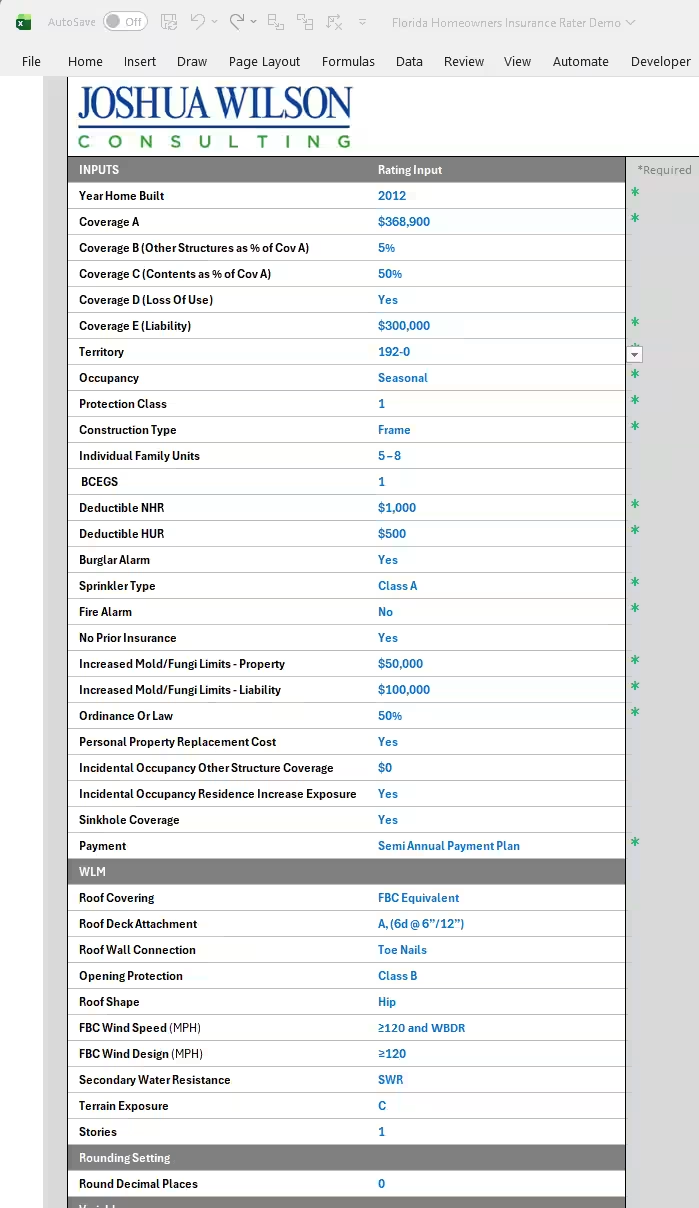
No more rating policies by hand, writing out long form interpolations, or guessing which coverages would be most profitable to bundle. Our Excel rater spreadsheets give you quick and easy quoting, ensure consistency, and help you analyze rating scenarios, such as whether to calculate discounts using the multiplicative or additive method.
More than four dozen insurance plans with various companies use our rating algorithms to accurately rate their policies. We’ve created over fifty automated Excel insurance raters resulting in thousands of satisfied insurance customers.
Whether you’re thinking of offering a new plan, operating in a new state, or revising an existing plan; whether you’re offering homeowners insurance, commercial insurance, flood insurance, or medical malpractice insurance; whether you need analysis, need to create precise software specifications, or need to see your underwriting manual draft in action, put our automated Excel insurance rater team to work for your business.
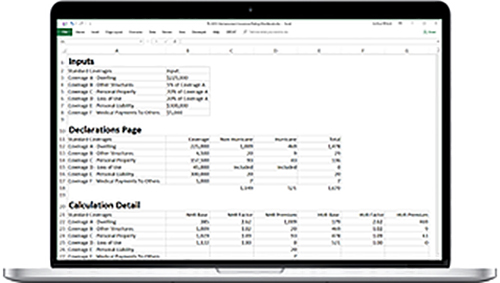
What is an Excel Insurance Rater Spreadsheet?
Excel Insurance Rater Definition
An Excel Rater, as it is called in the insurance industry, is a spreadsheet that calculates insurance premiums (“rates”). Premiums often have numerous components; each component must be meticulously calculated.
Excel Rater Building Experience?
Get an experienced Excel Rater developer who these past 14 years has built:
You get competency in these types of insurance and raters.
Homeowners Insurance Excel Rater Development
- Florida Homeowners Wind Loss Mitigations algorithms simplified and accessible.
- Florida Homeowners Citizens Takeout Raters
- Florida Homeowners Citizens Takeout Mapping to Citizens export
- States including Florida, Louisiana, North Carolina, New Jersey, South Carolina, Texas, various other states I’ve forgotten over the years
American Association of Insurance Services (AAIS) Excel Rater Development
Commercial Inland Marine Insurance Excel Rater Development
- Builders’ Risk (BR) Insurance Excel Rater Development
- Contractors’ Equipment (CE) Insurance Excel Rater Development
- Equipment Sales And Rental (ESR) Insurance Excel Rater Development
- Installation Floater (IF) Insurance Excel Rater Development
- Scheduled Property Floater (SPF) Excel Rater Development
Commercial Output Program (COP) Insurance Excel Rater Development
Commercial Property Insurance Excel Rater Development
- Commercial Fire Insurance Excel Rater Development
Less-Than-Truckload Freight Insurance Raters
Commercial Trucking Insurance Raters
Commercial Auto Insurance Raters
Flood Insurance Raters
Medical Malpractice Insurance Raters
Why Use An Excel Rater?
Common Scenarios Where An Excel Rater Can Help
An Excel rater may help in these situations.
- Developing new insurance products
- Rating prototype for rating software
- Transitioning to new rating software
- Test effects of possible rating change effects on an existing book of business
- Create an accessible insurance rating audit trail
- Rater serves as the actual rating calculation engine inside larger software
How Is An Excel Rater Developed?
Excel Rater Development Process
The successful rater development project has meticulous specifications, often including:
- Underwriting Manual
- Rating Worksheet (the “map” that serves as a guide for the scaffolding or shape/frame of the Excel rating calculations in terms of rows and columns)
- Rating Tables in Excel Format
- Rating Inputs – The devil is in the details, and a detailed list of desired inputs saves time and removes ambiguity.
- Sample Dec Page
What Insurance Industries Use Excel Raters?
Excel Rater Industries
Most insurance industries use raters. Those industries include:
- Commercial Auto
- Commercial Trucking
- Commercial Property
- Commercial Fire
- Homeowners Insurance
- Auto Insurance
- Flood Insurance
- Medical Malpractice
- Inland Marine
What Are Other Terms For An Excel Rater?
Excel Rater Synonyms
Depending on the industry, line of business, and region, you might also see an Excel rater referred to as:
- Rater
- Rating Sheet
- Rating Workbook
- Excel Rating Sheet
- Excel Rating Workbook
- Automated Excel Insurance Workbook
Key Components of An Excel Rater?
Excel Rater Components
Excel raters typically contain many of these:
Rater Inputs collected from the insured (address, date of birth, value of insured items). Key rating inputs are typically drop down lists (multiple choice) or number ranges (fleet range of 1-10 vehicles).
Rating Algorithms are Excel formulas that contain the mathematical logic to calculate a rate component.
Rating Tables are lookup tables that contain rating factors. For instance, different earthquake territories will have different rating factors depending on the territory’s actuarial risk.
Rater Outputs are the components that make up the Premium. The Rater Outputs will often appear on the Dec Page.
Rater Quote Page is the professional format of your quote, displaying the applicant info, summary of cost, locations, standard coverages, optional coverages, additional coverages, premiums, forms, endorsements in the actual format the insured will receive. Save it as a PDF, and print it or email it to the insured.
Rater Binder Page is similar to your Rater Quote Page, with space for a signature, or whatever customization you desire.
Rate Change Analysis Pages use automation to run your entire book of business (or as many as you want) through new rate changes, then display summary results, and allow you to explore individual policies.
Takeout Pages uses automation to run your takeout policies through your rate algorithms, then summarize the results, and allow you to delve into individual policies. For example, Florida Homeowners Citizens Takeout.
Conventional Legacy Insurance Raters?
Industry standard legacy Rater “Features” are not user friendly.
If you deal with insurance raters, you will often see many of these attributes:
- Inputs scattered across layout
- Easy to accidentally foul up rater by overwriting formulas
- Different fonts and styles
- Coloring and shading either nonexistent, overpowering, or inconsistent
- Inputs, formulas, tables, intermixed
- User must hunt and peck to differentiate inputs from formulas
- Considerable learning curve to use rater
- No section differentiation between inputs and formulas
- Flow of rater is not intuitive or logical to the user
- Rater has the feel of ‘scratch paper’
- Rows feel squished together (Excel default row heights)
- Tough to distinguish between mandatory inputs and optional inputs
- Inaccessible to audit, steep learning curve, not easily internalized
- Mess
- Logic tough for even Excel expert to wrap head around, internalize.
- Hidden formulas
- Ad hoc formula free for all, all over the place, separate tabs
- Output(s) is just one number, the final premium